Link .env Files
Link a .env file to an environment to load its variables when requests run. This keeps secrets such as API keys and tokens out of your Thunder Client environment files, so you can exclude the .env file from Git.
.env File Format
Write one key=value pair per line. Lines that start with # are comments.
# API settings
baseUrl=https://api.example.com
apiKey=sk_test_12345
userId=25543

# reference another variable in the same file
usersUrl=${baseUrl}/users
Link a .env File
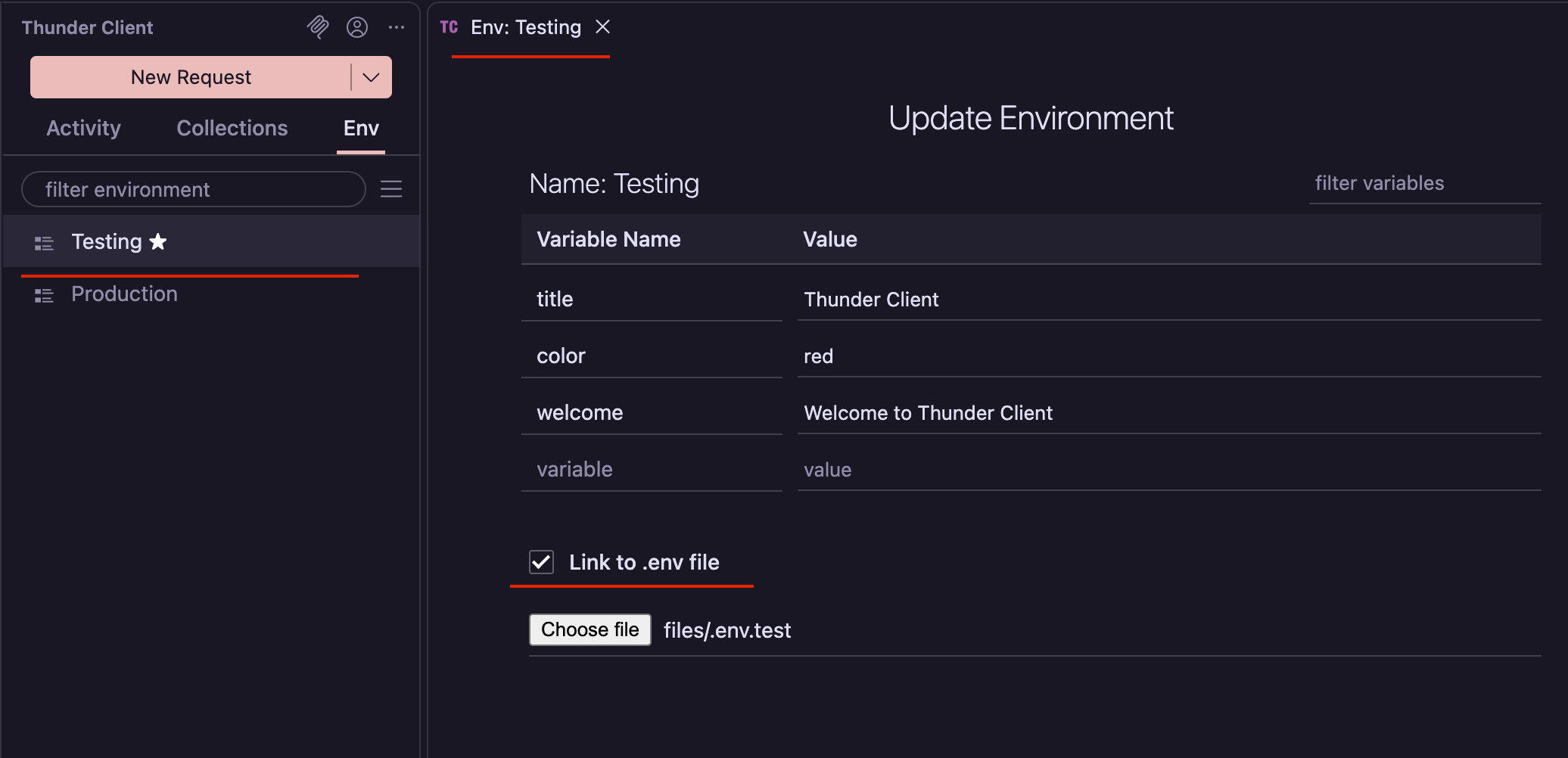
Open the environment
In the Env tab, create an environment or open an existing one.
Select the file
Select the Link to .env file checkbox, then click the file field and choose your .env file. The environment is saved automatically.
The variables in the file are now available to requests that use this environment.
Unlink a .env File
Open the environment and clear the Link to .env file checkbox. The environment is saved automatically, and the file’s variables are no longer loaded.
Use the Variables
Reference .env variables with {{variable}}, the same way as other environment variables:
GET {{baseUrl}}/users/{{userId}}
Authorization: Bearer {{apiKey}}
The .env file is loaded when its environment is the Active Environment.
The file is read each time a request runs, so changes to the file take effect without reopening the environment.
Precedence
If a variable is defined in both the .env file and the environment it is linked to, the value in the environment is used. See Variable Precedence for the full order.
Staging and Production Files
Use a separate .env file for each environment, with the same variable names and different values.
- Create a
Stagingenvironment and link it to.env.staging:
baseUrl=https://staging.api.example.com
apiKey=sk_test_12345- Create a
Productionenvironment and link it to.env.production:
baseUrl=https://api.example.com
apiKey=sk_live_67890
Your requests use {{baseUrl}} and {{apiKey}} unchanged, and switching the Active Environment switches which file is loaded.
Use in the CLI
The Thunder Client CLI loads the linked .env file when it runs requests and collections, so the same variables work in your terminal and in CI/CD.
Run a collection with the active environment and its .env file:
tc --col 'colNameOrId'Run a collection with a specific environment and its .env file, such as Production from Staging and Production Files:
tc --col 'colNameOrId' --env 'Production'To override individual values for a single run, use --var-data. These values take precedence over the .env file:
tc --col 'colNameOrId' --env 'Staging' --var-data "apiKey=sk_test_abc"File Paths
- When Thunder Client saves data to your workspace (Git Sync) or a custom location, the
.envfile path is saved relative to the current project or workspace. - Otherwise, the full path is saved, so the file must exist at the same location on the machine that runs
tc.